Breaking into the technology industry can feel difficult when every job description seems to ask for previous experience. If you’re a recent graduate, career changer, self-taught developer, or beginner learning tech skills, you may wonder: How can I get experience when I need experience to get a job?
The good news is that you don’t need a traditional job to start building a strong tech portfolio.
A well-designed portfolio can demonstrate your skills, problem-solving ability, creativity, and willingness to learn. Personal projects, open-source contributions, GitHub repositories, websites, applications, and technical experiments can all provide evidence of what you are capable of doing.
In this guide, you’ll learn how to build a tech portfolio without work experience, including projects beginners can create, what to put on GitHub, how to showcase your projects, and common portfolio mistakes to avoid.
Why You Need a Tech Portfolio
A technology portfolio gives potential employers something more valuable than a list of skills on your resume: proof that you can use those skills.
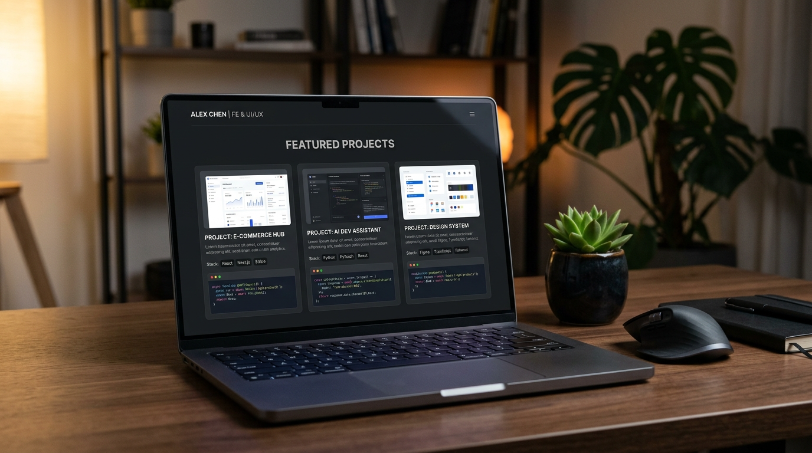
For example, saying that you know HTML, CSS, and JavaScript is useful, but showing a responsive website you built with those technologies is much more convincing.
Your portfolio can demonstrate:
- Technical skills
- Problem-solving ability
- Creativity
- Attention to detail
- Communication skills
- Knowledge of development tools
- Ability to complete projects
- Willingness to learn independently
You don’t need ten years of experience or dozens of projects. A few well-executed projects can make a much stronger impression than a large collection of unfinished tutorials.
How to Build a Tech Portfolio Without Work Experience
The key is to replace professional experience with demonstrable experience.
Start by choosing a technology area you want to pursue. This could be web development, software engineering, data analysis, cybersecurity, cloud computing, UI/UX design, artificial intelligence, or another technology field.
Then create projects that demonstrate relevant skills.
Instead of simply completing tutorials, try to build something that solves a real or imaginary problem.
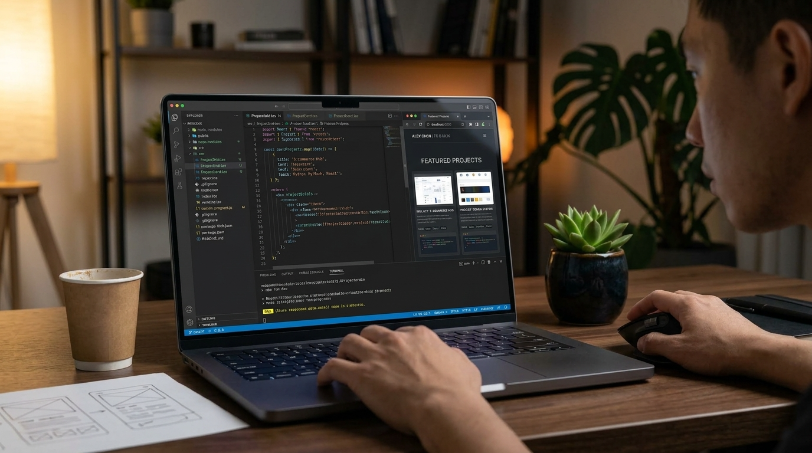
For example, if you’re learning web development, don’t stop after creating a basic HTML page. Build a complete website with responsive design, forms, navigation, and interactive features.
The goal is to show employers what you can actually do.
Projects Beginners Can Create
You don’t need complicated ideas to create an impressive tech portfolio. What matters is how you approach the project, what you learn, and how clearly you document your work.
1. Personal Portfolio Website
A personal website is one of the best first projects for beginners.
Use it to introduce yourself, describe your skills, display your projects, and provide contact information.
You can build it using HTML and CSS, then add JavaScript for interactive features. If you’re more advanced, you could use frameworks such as React or another modern web technology.
Your portfolio website itself becomes a project that employers can evaluate.
2. To-Do List Application
A to-do application is a classic beginner programming project because it teaches important fundamentals.
You can create features such as:
- Adding tasks
- Editing tasks
- Deleting tasks
- Marking tasks as completed
- Filtering tasks
- Saving tasks in local storage
A basic project can become much more impressive when you add useful features and explain your development decisions.
3. Weather Application
Build a weather application that retrieves information from a public API.
Users could search for a city and see information such as temperature, weather conditions, humidity, and forecasts.
This type of project demonstrates that you understand APIs, asynchronous programming, user input, and data presentation.
4. Expense Tracker
An expense tracker is another excellent portfolio project.
Allow users to record expenses, categorize transactions, calculate totals, and visualize spending.
You can start with a simple version and gradually add features such as charts, authentication, databases, and export functionality.
5. Data Analysis Project
If you’re interested in data analytics or data science, choose a publicly available dataset and investigate an interesting question.
For example, you could analyze:
- Movie ratings
- Sports statistics
- E-commerce sales
- Housing prices
- Employment trends
- Public transportation data
Explain your methodology, clean the data, create visualizations, and summarize your findings.
6. Simple API or Automation Tool
If you’re interested in backend development or automation, create a small application that solves a repetitive problem.
For example, you could build a tool that processes files, retrieves information from an API, generates reports, or automates a simple workflow.
These projects can demonstrate practical programming skills even without professional experience.
What to Put on GitHub
GitHub can serve as an important part of your technology portfolio.
However, simply creating a GitHub account isn’t enough. Employers should be able to quickly understand what you’ve built and what skills you used.
For each important project, create a dedicated repository.
Include a useful README file containing:
- Project name
- Project description
- Problem the project solves
- Features
- Technologies used
- Installation instructions
- How to use the project
- Screenshots or demonstrations
- Challenges you encountered
- What you learned
- Possible future improvements
Your README should make sense even to someone who hasn’t seen your project before.
Keep Your GitHub Organized
Don’t upload every small experiment you’ve ever created.
Instead, highlight your strongest work.
A beginner’s GitHub profile might include three to five polished projects rather than 30 unfinished repositories.
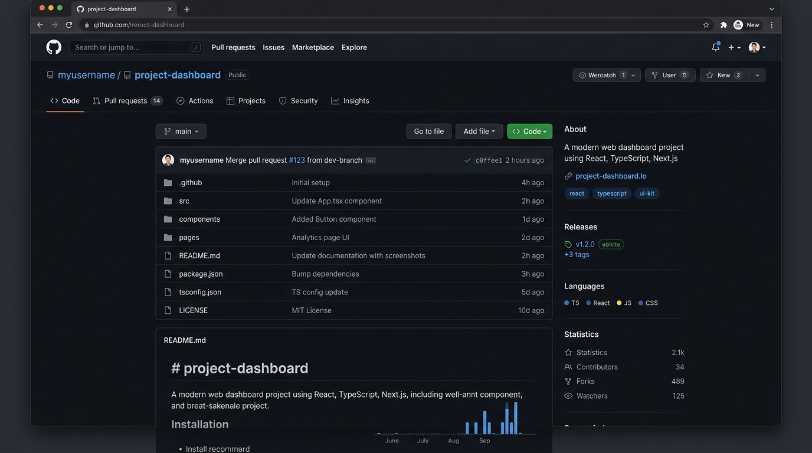
Use meaningful repository names and write clear commit messages. Keep your code organized and remove unnecessary files.
You should also consider creating a GitHub profile README that briefly introduces you, lists your key skills, and links to your best projects.
How to Showcase Your Projects
Building a project is only half the job. You also need to make it easy for people to see and understand your work.
Create a Portfolio Website
Your website should include a dedicated projects section.
For every project, provide:
Project title: Give it a clear name.
Description: Explain what it does and why you created it.
Technologies: List the major tools and programming languages used.
Live demo: Provide a link when possible.
Source code: Link to the GitHub repository.
Screenshots: Show the project in action.
What you learned: Briefly explain the skills you developed.
This structure allows recruiters and hiring managers to quickly evaluate your work.
Focus on Results and Problems
Don’t just write:
“I built a website using JavaScript.”
Instead, explain the problem and what you accomplished.
For example:
“Built a responsive task-management application using JavaScript that allows users to create, edit, filter, and persist tasks using browser local storage.”
The second description gives the reader much more useful information.
Include Your Best Projects First
Your strongest projects should appear at the top of your portfolio.
Think of your portfolio as a highlight reel rather than a complete history of everything you’ve ever created.
If a recruiter only spends a few minutes looking at your website, they should immediately see your best work.
Portfolio Mistakes to Avoid
Even a technically strong portfolio can be weakened by poor presentation.
Here are some common mistakes beginners should avoid.
1. Creating Too Many Tutorial Projects
Following tutorials is an excellent way to learn, but copying projects without understanding them won’t demonstrate much.
After completing a tutorial, modify the project.
Add new features, redesign the interface, solve a different problem, or rebuild it without following the original instructions.
2. Having Only One Project
One project is better than none, but try to build several projects that demonstrate different skills.
For example, a web developer might have:
- A portfolio website
- A JavaScript application
- An API-based application
- A full-stack project
Quality matters more than quantity.
3. Including Broken Links
Nothing damages a portfolio faster than links that don’t work.
Regularly test your GitHub repositories, live demos, contact forms, and portfolio pages.
If a project is no longer deployed, provide the source code and screenshots instead.
4. Ignoring Documentation
A recruiter shouldn’t have to study your code to understand what your project does.
Write clear documentation and explain important decisions.
Good documentation demonstrates communication skills as well as technical ability.
5. Using Unprofessional Design
Your portfolio doesn’t need to win a design award.
However, it should be clean, responsive, readable, and easy to navigate.
Avoid excessive animations, confusing layouts, tiny text, and unnecessary visual effects.
6. Claiming Skills You Can’t Demonstrate
It’s tempting to list every technology you’ve ever encountered.
Instead, focus on technologies you can actually use.
If you list Python, JavaScript, SQL, React, Git, or other tools, try to have projects that demonstrate your knowledge of them.
You Don’t Need Work Experience to Demonstrate Experience
Building a tech portfolio without professional experience is absolutely possible.
The important thing is to stop thinking about your portfolio as a collection of certificates and start thinking about it as evidence of your abilities.
Choose a technology area, identify the skills employers expect, and build projects that demonstrate those skills.
Start small. Improve your projects over time. Put your code on GitHub, document your work, deploy projects when possible, and create a simple website that brings everything together.
Most importantly, don’t wait until you feel “ready” to start building.
Your first project probably won’t be perfect—and that’s okay. Your second will be better, your third will teach you something new, and eventually you’ll have a portfolio that shows how far you’ve come.
You don’t need professional experience to start building a professional-looking tech portfolio. You need projects that prove what you can do.